

Genshin Impact Account Bans: Why Players Get Banned and Suspension Durations
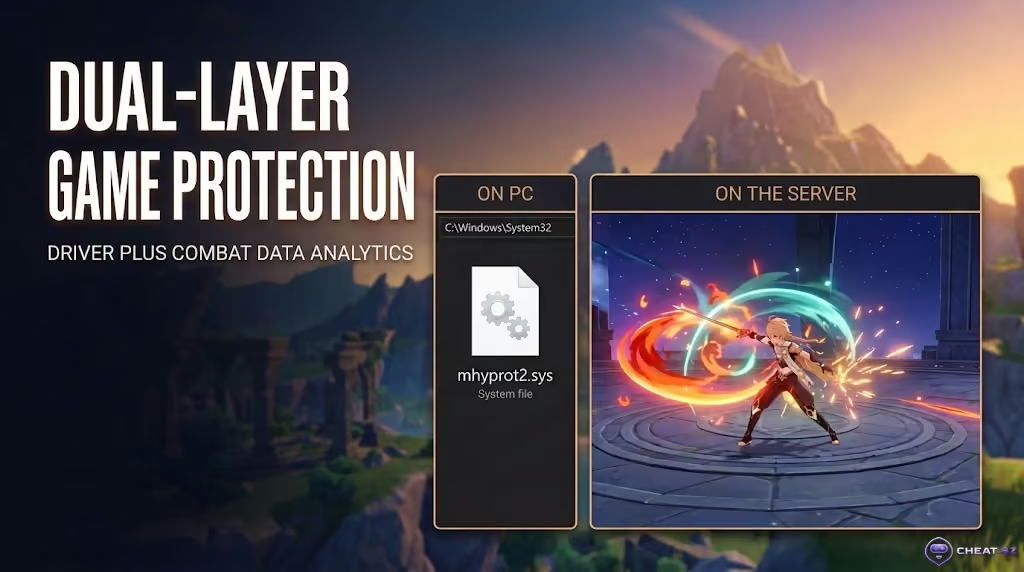
Since its Unity-based launch in 2020, Genshin Impact’s anti-cheat infrastructure has evolved from a basic mhyprot2.sys driver into a sophisticated two-tier system known as HoYoKProtect. In the current 7.1 patch, this setup verifies local PC game files while actively analyzing server-side combat logs for every encounter. Did you log in only to find a grey suspension notice displaying an unlock date in 2075, or a strict 7-day countdown? First rule: don't panic, never hand your login credentials to scammers on Telegram or Discord, and ignore claims of "instant unbans in 10 minutes." In practice, bans in Teyvat are never random: every suspension stems from memory injection, mathematically impossible Spiral Abyss clear times and damage spikes, or chargeback disputes on purchased currency. Below, we break down why the anti-cheat triggered, how long your penalty will last, and how to file a proper ban appeal with official HoYoverse support.
Key Takeaways: Teyvat Ban Essentials
A Genshin Impact ban is an enforced account or chat suspension issued by Cognosphere (HoYoverse) for violating the game's Terms of Service (ToS). Penalties range from a 24-hour chat mute and a 7-day suspension to a permanent 50-year account termination (lasting until 2075).
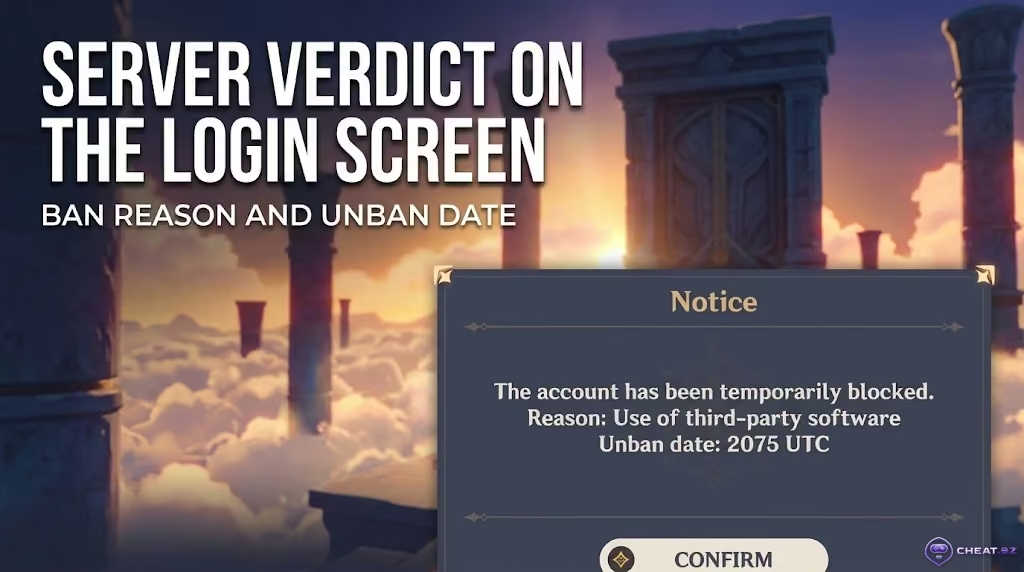
- The date screen is a server verdict: The unban time displayed in the notice is always calibrated to Coordinated Universal Time (UTC). If the year reads 2035, 2075, or 2099, your account is permanently banned.
- Two-layer detection architecture: On PC, the kernel-level driver
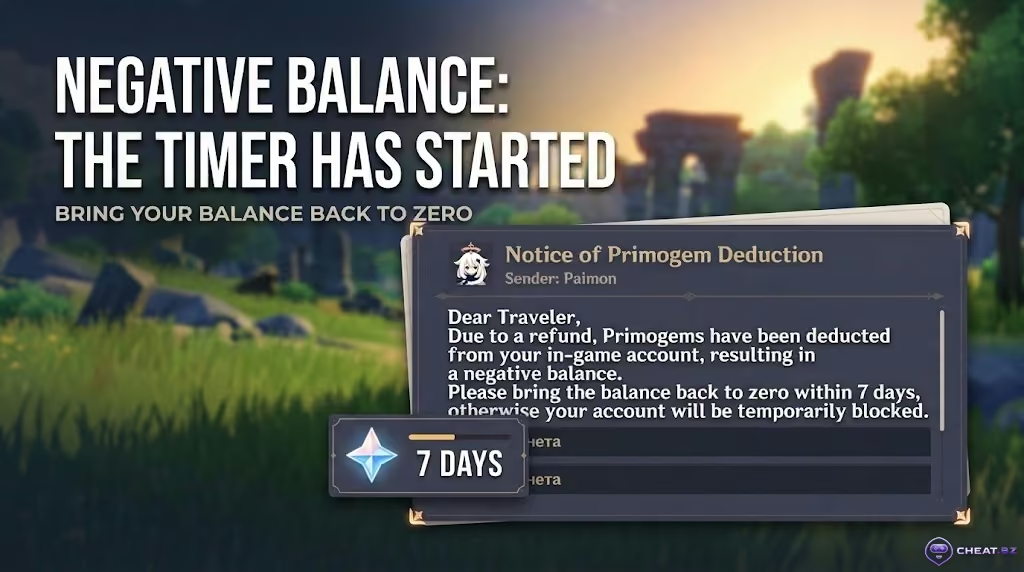
HoYoKProtect(mhyprot2.sys) monitors local memory processes, while server-side combat log analytics inspect every player across PC, iOS, Android, and PS5. - Negative balance triggers a 7-day timer: If a payment gets revoked or charged back by a bank, your Primogem balance drops into the negative. The game gives you exactly 7 calendar days to clear the deficit via official top-ups before issuing a permanent ban.
- Single official support channel: Legitimate ban appeals are processed exclusively through
genshin_cs@hoyoverse.com. Any third-party "unban service" on messaging apps is an outright scam.
Quick Triage: What to Do Right Now
If the game refuses to connect to the server, your next step depends entirely on the message displayed on the login screen.
- The notice states "Use of third-party software / plugins" with a 7-day or 30-day duration: The anti-cheat flagged an autoclicker, mouse macro, FPS unlocker, or co-op farming alongside a cheater. Take screenshots of the notice, completely wipe all suspicious software from your PC, and wait out the timer—support does not lift temporary suspensions early.
- The timer displays 2035 or 2075 (a 10- to 50-year suspension): The account has been permanently terminated for heavy cheat injection, direct memory manipulation, or repeat infractions. If you did not run third-party software and suspect your account was compromised, jump straight to the appeal guide below and prepare your earliest purchase receipts.
- You received an in-game mail regarding a refund and your Primogem balance is negative: A strict 7-day countdown has begun. Immediately restore your balance to zero or positive by purchasing Genesis Crystals via your public UID through verified merchant partners; otherwise, the account will be permanently banned once the week expires.
- The game returns error code "
31-4302", "10010-4001", or "Server connection failed": You are not banned. Error31-4302means an antivirus blocked the game's anti-cheat driver or local client files are corrupted, while10010-4001indicates a memory conflict with third-party tools (such as an FPS unlocker). Close background utilities and run a file integrity check via the launcher.
Decoding the Genshin Impact Ban Screen: Suspension Notices & Error Codes
The Suspension Notice appears immediately after selecting your server on the title screen. It displays the title "Notice," a brief reason, the exact unban date and time in UTC, and an exit button. To calculate your local unban time in US Eastern Time (ET), subtract 4 hours (or 5 hours during Standard Time) from the UTC timestamp.
System Notification Breakdown and Login Error Codes
| Notice Text / Code | What It Actually Means | ToS Violation Trigger | Can It Be Lifted? |
|---|---|---|---|
| Banned until YYYY-MM-DD (Duration: 7 Days) | Initial warning | Macros, autoclickers, light mods, co-op with cheaters | ✅ Auto-unban after timer expires |
| Banned until YYYY-MM-DD (Duration: 30 Days) | Major 1-month suspension | Software detection, skin mods, exploit abuse | ✅ Auto-unban (final warning before permanent ban) |
| Banned until 2035–2075 (10–50 Years) | Permanent account termination | Active cheats (Korepi, Akebi), account selling, unpaid gem debt | ❌ Only with verified proof of account compromise |
| Muted from sending messages (24h – 30 Days) | Co-op chat mute | Profanity, harassment, spam, political terms in nickname/signature | ✅ Gameplay unaffected, chat disabled |
Error 31-4302 / 10010-4001 |
Game launch failure | Antivirus quarantined HoYoKProtect or FPS unlocker conflict |
✅ Resolved by verifying game files |
Error 3032 in Xsolla gateway |
In-game store checkout block | Attempting payment with an active VPN or proxy | ✅ Lifted via Xsolla customer support |
Keep in mind: error 3032 in the web or in-game shop indicates a restriction strictly within the Xsolla payment gateway (usually triggered by an active VPN during checkout)—it carries zero risk for your actual game account.
Genshin Ban Durations: From 7-Day Warnings to 50-Year Blocks
HoYoverse enforcement typically follows a three-tier escalation ladder: 7 days, 30 days, and 50 years. However, when the anti-cheat detects direct game memory tampering, there are no prior warnings—the profile is immediately banned for good. The exact penalty depends on the severity of the infraction and the account's enforcement history.
- Tier 1 (7 calendar days): A first-strike warning for background autoclickers, mouse macros, co-op farming alongside a flagged cheater, or suspicious cross-region IP jumps.
- Tier 2 (30 calendar days): Issued for injecting custom skins via DirectX hooks, unlocking the frame rate limit, or running automation scripts again after an initial 7-day ban.
- Tier 3 (10 to 50+ years, lasting until 2035–2075): Complete account termination. Applied instantly without warning for overt cheats (chest teleports, damage multipliers, god mode), real-money trading (RMT / account reselling), or unresolved negative Primogem balances.
Why Players Get Banned in Genshin Impact: Detection Vectors & Ban Waves
Understanding why bans occur comes down to the architecture of the game's security: on PC, a Ring 0 kernel driver monitors local memory, while on the backend, a Combat Telemetry Engine audits your combat statistics around the clock.
Cheats, Injectors, and Scripts: Why "Undetected" Public Software Fails
Publicly leaked free cheats like Korepi or Akebi with blatant features such as Kill Aura, Speedhack, and vacuum loot will burn a primary account in short order. Even when players use a private cheat build for Genshin Impact to bypass the local HoYoKProtect driver, playing with legit settings is critical: overt rage features are flagged instantly by server-side combat telemetry logs. This is why ban waves regularly hit batches of offenders right around major game updates: the anti-cheat silently flags suspicious accounts, then rolls out a massive sweep just before a major patch release (as observed ahead of version 5.6, and continuing under patch 7.1).
- Impossible single-hit damage: The server tracks your exact artifact rolls, talent levels, and constellations. When an under-leveled character suddenly registers millions of damage in a single hit, the system flags the profile automatically.
- Zero damage taken: Clearing Spiral Abyss Floor 12 or endgame battle events with 0 damage taken serves as an immediate telemetry trigger, leading to automated anti-cheat suspensions.
- Unrealistic room clear times and coordinate teleports: Clearing Imaginarium Theater acts in 3 seconds or teleporting through terrain directly to chest coordinates is tracked instantly by server-side position validation.
Macros and Autoclickers: The Post-Update 6.7 Landscape
Under HoYoverse's Fair Play guidelines (which saw significant tightening in November 2025), any scripts, autoclickers, or hardware macros (Razer Synapse, Logitech G HUB, AutoHotkey) are classified as prohibited software, carrying penalties ranging from 7 days to 50 years. The backend easily detects macros through Static Cadence Polling, identifying millisecond-identical input intervals that human players cannot replicate. Furthermore, with the launch of patch 6.7 ("Luna VIII" on July 1, 2026), the game added an official dialogue fast-forward feature that skips voice lines instantly, making third-party autoclickers an unnecessary risk.
Skin Mods and Visual Utilities: 3Dmigoto, ReShade, and FPS Unlockers
Handling graphics tools is straightforward: if an overlay interfaces strictly via official GPU display drivers, it remains safe; if it touches system memory or hooks DirectX DLLs, it risks a ban. Evaluating mod safety requires remembering the recurring ban sweeps for custom skins in Teyvat as well as HoYoverse's sister title, Honkai: Star Rail, where visual modifications trigger detections during client integrity checks.
Visual Utilities and Third-Party Software Detection Matrix
| Program / Utility | How It Works | HoYoverse Stance (ToS) | Ban Risk Level |
|---|---|---|---|
| Nvidia Freestyle (Nvidia App) | Post-processing overlay via GPU driver | ✅ Officially allowed | Zero (0%) |
| FPS Unlocker | Modifies frame rate limit in memory | ❌ Prohibited (error 10010-4001) |
High (7–30 days) |
| ReShade (Third-Party Shaders) | Hooks DirectX runtime files | ❌ Prohibited | High (7–30 days) |
3Dmigoto (Custom Skins) |
Replaces textures and model hashes | ❌ Prohibited (Section 5 ToS) | Critical (30 days / permanent) |
| Macros / Autoclickers | Simulates mouse and keyboard input | ❌ Prohibited | High (7 days – 50 years) |
| Multi-Feature Cheats (Korepi & similar) | Direct DLL injection and memory patching | ❌ Strictly prohibited | Maximum (50 years) |
If you simply want to make the visuals sharper and more vibrant, use your native GPU control panel filters without dropping foreign files into your game directory.
Negative Primogems: Chargebacks and the 7-Day Recovery Window
Purchasing cheap Genesis Crystals or Welkin Moons at a 40–50% discount from third-party sellers using your login details almost always ends the same way: the vendor purchases currency using compromised payment methods, after which the legitimate cardholder issues a bank chargeback. The game immediately revokes the credited Primogems. If you have already spent those gems on wishes, your account balance drops into a deep negative deficit.
Account Sharing, Boosting Services, and Starter Accounts
Sharing login credentials with friends, hiring third-party boosters for Spiral Abyss clears, or buying map exploration services explicitly violates Section 5 of the HoYoverse Terms of Service. The security system detects hardware identifier (Device ID) variations, rapid geolocation shifts, and data center IP logins. Even worse: commercial boosters often use cheats to complete orders quickly. If a booster's PC has been flagged by the anti-cheat and lacks an effective HWID Spoofer for hardware masking, your account will be swept up in the ban chain tied to their motherboard and drive serials. Pre-leveled AR 10 "starter accounts" carry the exact same risk: they are mass-farmed by automated bots on emulators and frequently face delayed ban waves months after purchase.
Co-op Risks: Are You in Danger if a Cheater Enters Your World?
If a random cheater enters your open world, your account will not be banned, and the old Kaveh bug that deleted in-game items was patched out in August 2023. If you notice a guest flying through the air or one-shotting a world boss for 20 million damage, kick them immediately via the co-op menu. A 7- to 30-day suspension with an achievement rollback is issued only to players who deliberately and repeatedly party up with cheaters in domains to fast-track resource farming.
Platform Considerations: Linux, Steam Deck, and Gaming Handhelds
The anti-cheat can occasionally trigger false flags for legitimate users due to unsupported operating systems or aggressive vendor-specific gaming overlays on specialized hardware.
- Linux and Steam Deck (Wine / Proton): Following security updates, the anti-cheat driver may interpret Windows API emulation translation layers as an attempt to conceal third-party processes. Using custom launchers like Anime Game Launcher—which actively patches out security checks—leads straight to a ban.
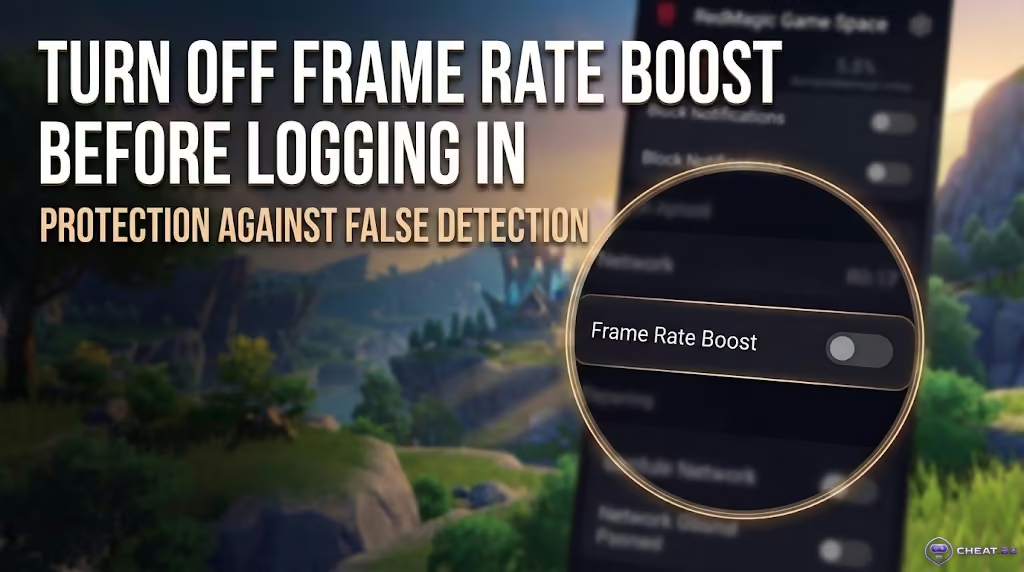
- Gaming Phones (RedMagic 10 Pro, ROG Phone): Hardware-level frame interpolation (such as Frame Rate Boost up to 120 FPS) and aggressive gaming overlays hook directly into the Unity graphics pipeline, distorting network packet timings. Similar anti-cheat behaviors apply across other gacha action titles; even private builds for Wuthering Waves require turning off built-in system boosters prior to launching.
Chat and the Serenitea Pot: Mutes vs. Full Account Bans
Toxic chat behavior or questionable Serenitea Pot builds will not lock you out of the game entirely; instead, the system temporarily restricts the specific feature involved.
- Chat toxicity and spam: Bypassing profanity filters, harassing players, or posting advertisements results in a chat mute lasting from 24 hours to 30 days, while regular gameplay continues unhindered.
- Serenitea Pot building violations: Constructing explicit shapes or prohibited symbols will prompt guest reports, leading HoYoverse to reset your realm layout and temporarily disable editing mode.
- Wanderer and Saurian naming rules: Giving a companion character an offensive or profane name will revert the name to default, revoke your renaming item, and trigger a 7-day warning suspension if repeated.
Common Ban Myths: What Not to Believe
Misinformation surrounds Genshin Impact account bans, causing players to panic unnecessarily and fall victim to online scams.
- Myth 1: "Playing with an active VPN results in an immediate permanent ban." Logging in through a standard VPN to stabilize routing issues or bypass mobile ISP throttling is safe and does not trigger bans. Security algorithms flag an account only when an IP jump coincides with a new device login and an immediate store purchase using foreign regional pricing.
- Myth 2: "Background iOS processes trigger bans on iPhone." In iOS, every app runs in a sandboxed container—there is no kernel driver checking Apple system processes. Reports of "inexplicable iPhone bans" stem from accounts that previously ran cheats on PC or were purchased as bot-farmed starters.
- Myth 3: "Community moderators on Discord or Reddit can lift bans in 10 minutes." Social media admins and moderators on the HoYoLAB portal (which serves communities for Genshin, HSR, and enthusiasts tracking updates for Zenless Zone Zero, maintaining a dedicated forum inbox at
hoyolab@hoyoverse.com) manage forum posts and have zero technical access to backend game servers.
How to Appeal a Ban: Step-by-Step HoYoverse Guide
Securing an unban through official customer support is viable under two scenarios: your account was compromised (and cheats were injected by an intruder) or a verified technical false positive occurred on a clean system.
Evidence Checklist Before Submitting a Ticket
Emotional pleas along the lines of "I swear I didn't cheat" are automatically rejected by support bots within minutes. If your account was suspended due to credential theft or a driver collision, gather indisputable proof of ownership.

- In-game UID and Server: Your 9-digit account ID and server region (America, Europe, Asia, TW/HK/MO).
- Screenshot of the Suspension Notice: A clear, uncropped capture showing the stated violation reason and UTC unban date.
- Registration History: The initial registration email, account creation date, initial registration city/state, and the exact model of your first gaming device.
- Hardware Specifications: Complete PC build details (CPU, GPU, Windows version) or your mobile device model.
- Purchase Receipts (Your Primary Proof): Official transaction confirmations for your earliest in-game purchases (Google Play, Apple App Store, official website) displaying the full transaction number (Receipt ID / Order ID).
Official Support Appeal Template
Send your ticket exclusively to genshin_cs@hoyoverse.com using your linked email address (legacy @mihoyo.com domains have been inactive since 2022). If you have access to an alternate account, you can also submit an in-game ticket via "Paimon Menu -> Feedback".
Subject: Genshin Impact Ban Appeal - UID: [Your UID]

Dear HoYoverse Customer Support Team,

My Genshin Impact account (UID: [Your UID], Server: [America/Europe/Asia]) was suspended on [Date and Time from Notice] with the stated reason "[Exact reason text from notice]".

I respectfully request a manual audit of my server logs. This suspension was caused by [State reason: an unauthorized account breach by a third party / a false positive conflict with standard system software on my clean device]. I have never installed or used third-party modifications, scripts, or prohibited software.

To verify my identity as the original and rightful account owner, I have attached:
1. A full screenshot of the in-game suspension dialogue box.
2. Purchase receipts from my earliest transactions (Order/Receipt IDs: [Insert Receipt IDs]).
3. Historical registration details (Creation date: [Date], First device: [Device Model], Current hardware: [PC Specs / Phone Model]).

I remain fully available to provide any additional verification data required.

Sincerely,
[Your Name / In-Game Nickname]
Linked Email: [Your Email Address]Security Warning: Third-Party "Unban Services" and Social Media Scams
If anyone on Discord, Telegram, or gaming forums offers to "remove your ban from the database via an insider at HoYoverse" or sells "automated unban tools," you are dealing with scammers. Cognosphere account databases are secured on private infrastructure in Shanghai and Singapore. No external third party has access to internal security logs; paying them guarantees the loss of your money and potentially your email.
Account Security: How to Protect Your Profile Permanently
Protecting your five-star characters, signature weapons, and hundreds of hours of game progress comes down to four fundamental security practices.
- Avoid public mods and autoclickers: Steer clear of free skin injectors on
3Dmigoto, FPS unlockers, and mouse macros—patch 6.7 provides a native, safe dialogue skip feature. - Enable Two-Factor Authentication (2FA): Link both an active mobile phone number and a secure, unique email account. Review your HoYoverse Account Center monthly to revoke access for unrecognized devices.
- Never share account credentials: Avoid hiring third-party account pilots, ignore fake "free Welkin Moon giveaway" login portals, and never let acquaintances log in from unverified machines.
- Top up strictly via UID: Purchase Genesis Crystals in-game or through authorized top-up portals that require nothing more than your public UID.
Adhering to these security practices ensures complete protection against unexpected bans during routine server sweeps. And if you are searching for tested software featuring up-to-date protection for smooth gameplay and farming without unnecessary friction, explore our catalog of private cheats for popular games.