

What Is a Lag Switch? The Mechanics Behind Lag Cheats
Ever since the early console era and the peak of P2P hosting in Halo 2, competitive players realized one simple truth: whoever controls the connection controls the match. Back then, gaining an edge meant physically slicing an Ethernet cable; today, traffic manipulation operates on an entirely different level.
A lag switch is a hardware device or software filter that intentionally interrupts outgoing UDP network packets between your PC and the game server for a brief window. This induces controlled desynchronization (desync): you move and shoot freely within your local client simulation, while opponents see you frozen in place or aggressively teleporting across their screen.

Key Takeaways
A lag switch does not exploit game client bugs directly—it abuses the core architecture of netcode designed to compensate for real-world internet latency.
- Core Mechanism: Unidirectional suppression of outgoing traffic (TX Drop). You still receive up-to-date enemy positions from the server, but the server receives nothing about your actions.
- Hardware Method: Physical circuit interruption on an Ethernet cable (Cat5e). Only functional on 100 Mbps connections; triggering this on Gigabit Ethernet causes complete carrier loss and immediate disconnection.
- Software Method: Socket interception via the Windows Filtering Platform (WFP) or the WinDivert driver, allowing precise threshold and delay tuning.
- Effectiveness: Highly potent in titles relying on client-side hit registration (Escape from Tarkov, DayZ). Completely ineffective in strictly server-authoritative environments (CS2, Valorant).
- Detection and Bans: Modern server-side heuristics in BattlEye and Easy Anti-Cheat flag anomalous network timing deltas, resulting in swift bans.
Below, we break down the physics behind this exploit, analyze anti-kick timing algorithms, and review the telltale visual signs of traffic manipulation in live matches.
What Is a Lag Switch: Verdict and Core Definition
From a technical standpoint, lag switches are network-layer exploits targeting lag compensation systems. When you trigger the switch, the tool cuts off the transmission of your player actions to the server. The server assumes you are suffering from severe packet loss or a sudden ping spike and begins extrapolating your movement. The moment you release the key, the buffered backlog of queued packets floods the server all at once, forcing it to validate and register your shots retroactively.

To understand the mechanics involved, let's contrast traditional physical cable switches with modern software desync tools.
| Technical Specification | Hardware Method | Software Method (Desync) |
|---|---|---|
| OSI Model Layer | L1 / L2 (Physical / Data Link) | L3 / L4 (Network / Transport) |
| Interface Used | In-line physical switch on Cat5e cable (RJ-45) | WinDivert driver, Windows Filtering Platform (WFP) |
| Target Protocol | Complete physical conductor break | Selective filtering of game UDP sockets |
| Supported Network Range | 100BASE-TX only (100 Mbps) | Wi-Fi, Ethernet, 1G / 2.5G |
| Average Hold Window | 1000–3000 ms | 500–3200 ms (with Kick Bypass support) |
| Server Detection Vector | RTT anomalies / Damage timestamps | Driver signatures + Server-side telemetry |
| ToS Status & Penalties | ToS Violation / Permanent Ban | ToS Violation / HWID Ban |
Architecture and Physics: How Artificial Lag Works
A common misconception is that pulling your router cord achieves the same result. In modern multiplayer ecosystems, network protocols handle dropouts aggressively—losing connection to the host for even a full second often results in an immediate drop to the main menu.
Hardware Interruption via Twisted Pair (Ethernet L1/L2)
A traditional hardware lag switch relies on a normally-closed momentary push button spliced directly into the transmit line of a twisted-pair cable. In 100BASE-TX (100 Mbps) networks, transmission requires only two pairs: pins 1 and 2 for transmit (TX), and pins 3 and 6 for receive (RX). Breaking pin 2 (typically the orange wire) halts all outgoing traffic across the local LAN segment. The game continues processing incoming world updates from the server, but your coordinates never leave your machine.
Why this fails on modern PCs: Current consoles (PS5, Xbox Series X|S) and PC motherboards almost universally rely on Gigabit Ethernet (1000BASE-T). This standard transmits bidirectionally across all four pairs simultaneously, using continuous echo cancellation and line monitoring. Severing any single wire causes an instant carrier loss. The network adapter resets into auto-negotiation mode to re-establish a link—a process taking 2–3 seconds—which immediately triggers a socket timeout on the game server.
Software Packet Interception via WinDivert and WFP (L3/L4)
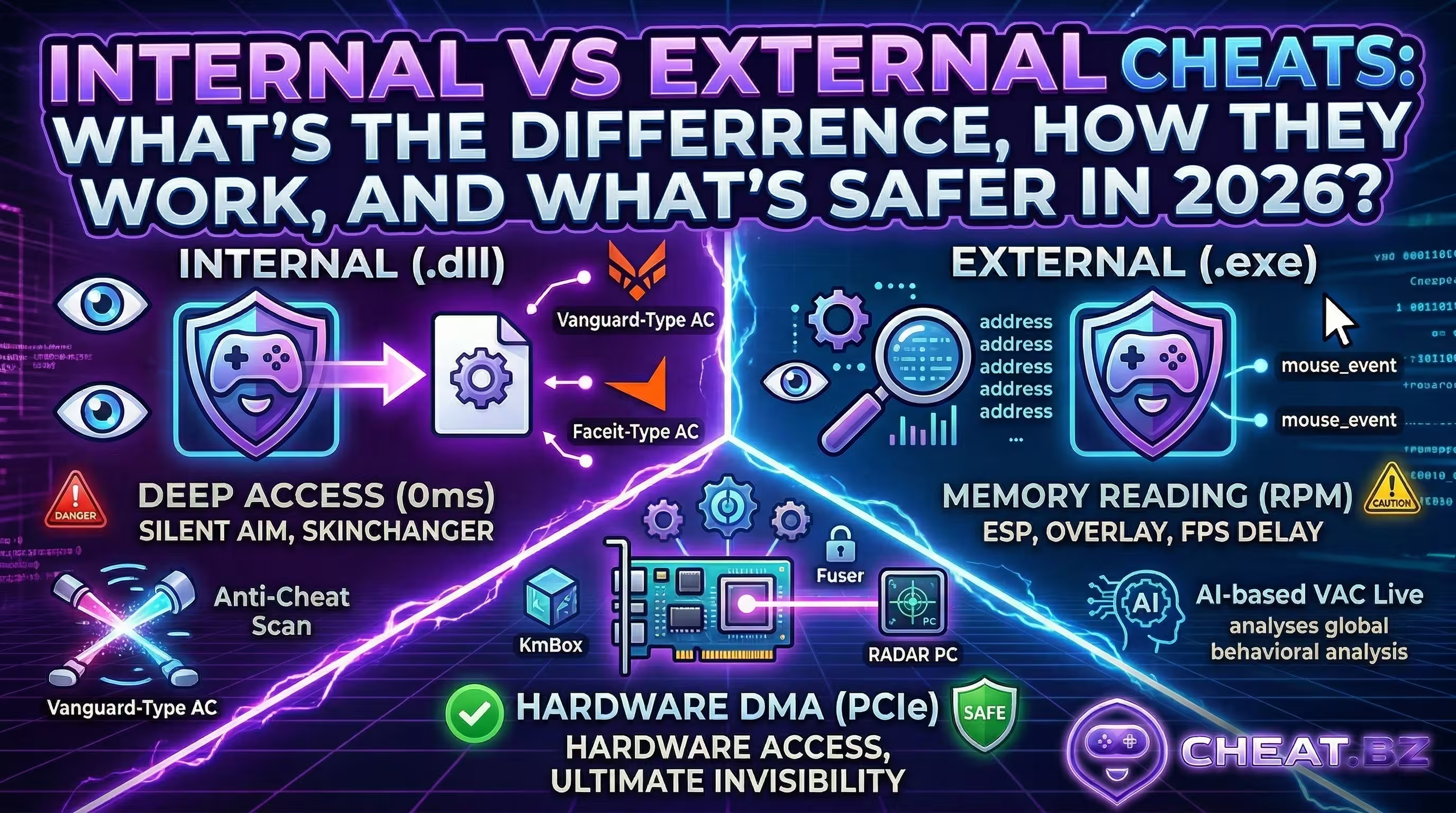
Unlike standard internal and external software that inspects memory or hooks client routines directly, network desync tools leverage the Windows Filtering Platform (WFP) or specialized kernel-level drivers like WinDivert.sys. These drivers attach directly to the Windows network stack, intercepting packets well before they reach the physical network adapter.
Upon activation, the software selectively drops or queues game-specific UDP datagrams while leaving TCP authentication channels for Steam, Discord, or anti-cheat clients untouched. Most utilities offer three operational modes:
- Hold Mode: Packet dropping remains active only while pressing the designated hotkey—ideal for quick corner peeks.
- Temporary Mode: A single keypress freezes outgoing packets for a predetermined window (e.g., 1200 ms).
- Toggle Mode: The first keypress enables filtering; the second disables it.

Under the Hood: Why Lag Switches Work in Modern Netcode
The effectiveness of network manipulation stems from how game engines mask physical internet latency. Without predictive netcode, multiplayer gaming would feel sluggish and unresponsive.
Client-Side Prediction and Dead Reckoning
To eliminate input lag, modern games rely on client-side prediction. When you press "W", your local client immediately renders movement without waiting for a server round-trip. While a lag switch is engaged, the user's local instance keeps simulating a seamless world, tracking player collisions, and recording weapon firing events. Concurrently, the server stops receiving incoming UserCmd packets and falls back on dead reckoning algorithms. With zero fresh telemetry, the server attempts to guess the player's path: it either extrapolates movement along their last known velocity vector (causing desynced players to run mindlessly into walls) or locks the model in place awaiting reconnection.
Lag Compensation and Server Reconciliation
Once traffic resumes, lag compensation and server reconciliation take over. Game servers maintain a rolling circular buffer in memory storing world snapshots from recent fractions of a second. When the server receives a sudden burst of queued UDP packets containing past player timestamps, it rewinds all other player hitboxes to where they existed when those shots were fired. If the server validates that the crosshair was over an enemy during that historical millisecond, it confirms the hit. In practice, this produces severe damage batching: an opponent can sprint behind solid cover, only to collapse instantly as past damage registers retroactively. On their screen, it feels like an instantaneous one-frame death without audible gunfire.
Server-Authoritative vs. Peer-to-Peer: Where Exploits Fall Flat
Whether network desync succeeds depends entirely on the game's network topology:
- Peer-to-Peer (Dark Souls, Super Smash Bros): Without a centralized authoritative server, the game must trust each client's reported state, allowing desynced players to dictate reality.
- Server-Authoritative (CS2, Valorant): The server validates all actions and maintains strict limits. If packets arrive later than the allowed rewind window (such as
sv_maxunlag, typically capped around 200 ms), the server simply rejects the incoming damage. In Counter-Strike 2 with its sub-tick architecture, engaging a lag switch makes you an immobile target without registering a single hit.
Game Specifics, Timings, and Kick Bypass Algorithms
In hybrid network architectures like extraction shooters, artificial delay grants a massive tactical advantage during aggressive room breaches. However, holding a freeze indefinitely is impossible.
Comparative Analysis of Tolerated Latency Windows (EFT, PUBG, DayZ, DBD)
Every engine enforces its own RTT disconnect threshold. Exceeding that limit results in an immediate "Connection Timed Out" error.
| Game | Network Architecture | Ping Kick Threshold | Practical Lag Switch Effect |
|---|---|---|---|
| Escape from Tarkov | Client-Server (Unity) | ~3000–3200 ms | Safe corner peeking and uncontested local damage registration. |
| PUBG: Battlegrounds | Client-Server (Unreal Engine) | ~1500–2000 ms | Firing from cover followed by snapback position resets. |
| DayZ Standalone | Enfusion Engine | ~3200 ms | Freezing distance checks and avoiding wallbang trades. |
| Dead by Daylight | Dedicated Servers | ~2500 ms | Interrupting survivor pickup animations and delaying hook interactions. |
| Roblox (Evade) | Luau / FFlags Manipulation | ~1000–2000 ms | Physics resets and complete invulnerability to bot tracking. |

Kick Bypass Logic and Packet Stream Fragmentation
To extend the window of invulnerability, private software developers utilize Kick Bypass routines that fragment packet flow, preventing the server from declaring a full timeout. The sequence works as follows: the software suppresses UDP traffic for 1000 ms, briefly reopens the socket for 5–15 ms to dispatch a single Keep-Alive packet, and immediately re-engages the filter. Repeating this cycle 3–5 times maintains desynchronization for up to 4–5 seconds without triggering a disconnect.
In high-stakes raids like Escape from Tarkov, this timing control allows abusers to grab high-tier loot or clear angles right in front of frozen opponents.
In-Game Symptoms: How to Spot an Opponent Using a Lag Switch
Differentiating genuine network instability from deliberate packet manipulation requires looking for specific patterns.
Visual Markers: Snapback, Rubber-Banding, and Damage Batching
When someone in your lobby manipulates their traffic, watch for these anomalies:
- Rubber-Banding: The target runs into a wall or slides in place before instantly teleporting several meters away.
- Phantom Hitmarkers: You open fire on a stationary enemy standing out in the open, seeing blood decals client-side while the server registers zero actual damage.
- Damage Batching (Super-Bullets): The clearest giveaway. You drop dead instantly from 5–6 rounds packed into a single server tick, hearing only a solitary gunshot sound as the queued burst delivers all buffered damage at once.

Differential Diagnosis: Cheat vs. Unstable Connection
The primary tell is timing and consistency. Community testing and gameplay breakdowns highlight that legitimate connection issues persist throughout an entire session (during looting, traversal, and idle states). A lag switch, by contrast, activates exclusively during combat engagements. Network performance graphs remain pristine until the exact second a firefight starts—spiking to 100% packet loss, securing the elimination, and immediately stabilizing back to a flat 20 ms ping.
Anti-Cheat Detection Methods, Telemetry, and Hardware Bans
Contrary to popular belief, modern anti-cheat solutions effectively detect network-level exploits, even when the software runs in kernel space without directly touching game memory.
Server Telemetry and Delta Analysis Algorithms
Systems like BattlEye, Easy Anti-Cheat, and MRAC do not need to scan system RAM for packet-filtering processes. Instead, they analyze server-side statistical telemetry. The logic evaluates the timing difference between packet arrival on the server and generation on the client (ΔT = T(server_received) - T(client_timestamp)). When telemetry reveals a square-wave loss profile—instantaneous 100% drops and immediate recoveries—that correlates over 95% of the time with delivering critical damage, the session is flagged for Network Manipulation.
Enforcement: BattlEye, Easy Anti-Cheat, VAC Live, and HWID Bans
Penalties for artificial desync are uncompromising: permanent account bans accompanied by hardware-level HWID blacklisting across SMBIOS serials, storage drives, and network MAC addresses. Spinning up a fresh account on the same machine often triggers an automated shadowban within 10 minutes. For this reason, users operating in this space rely on an HWID spoofer for hardware ban protection.
Conclusion
To dive deeper into networking architecture, server tick rates, and anti-cheat design, explore our technical articles on the cheat.bz blog, where our team breaks down the mechanics behind competitive multiplayer games.